
Black-and-white negative · ISO 400
Kodak Tri-X 400 Grain Look
What Kodak Tri-X 400 grain looks like, and a free recipe that recreates its texture and tone on digital photos in your browser.
Published October 3, 2026 · Updated October 3, 2026 · Written by Maximilian Braun
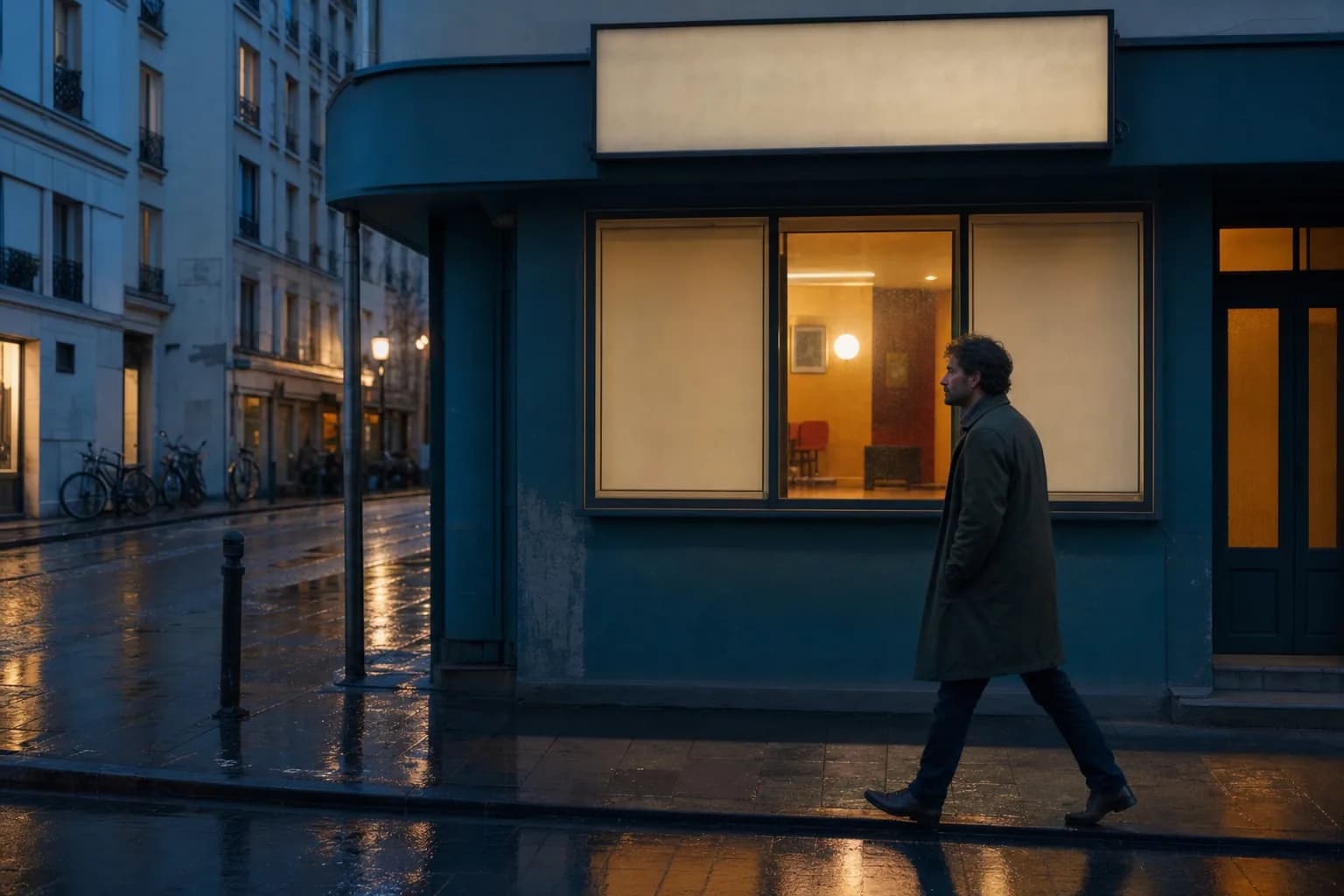
Original
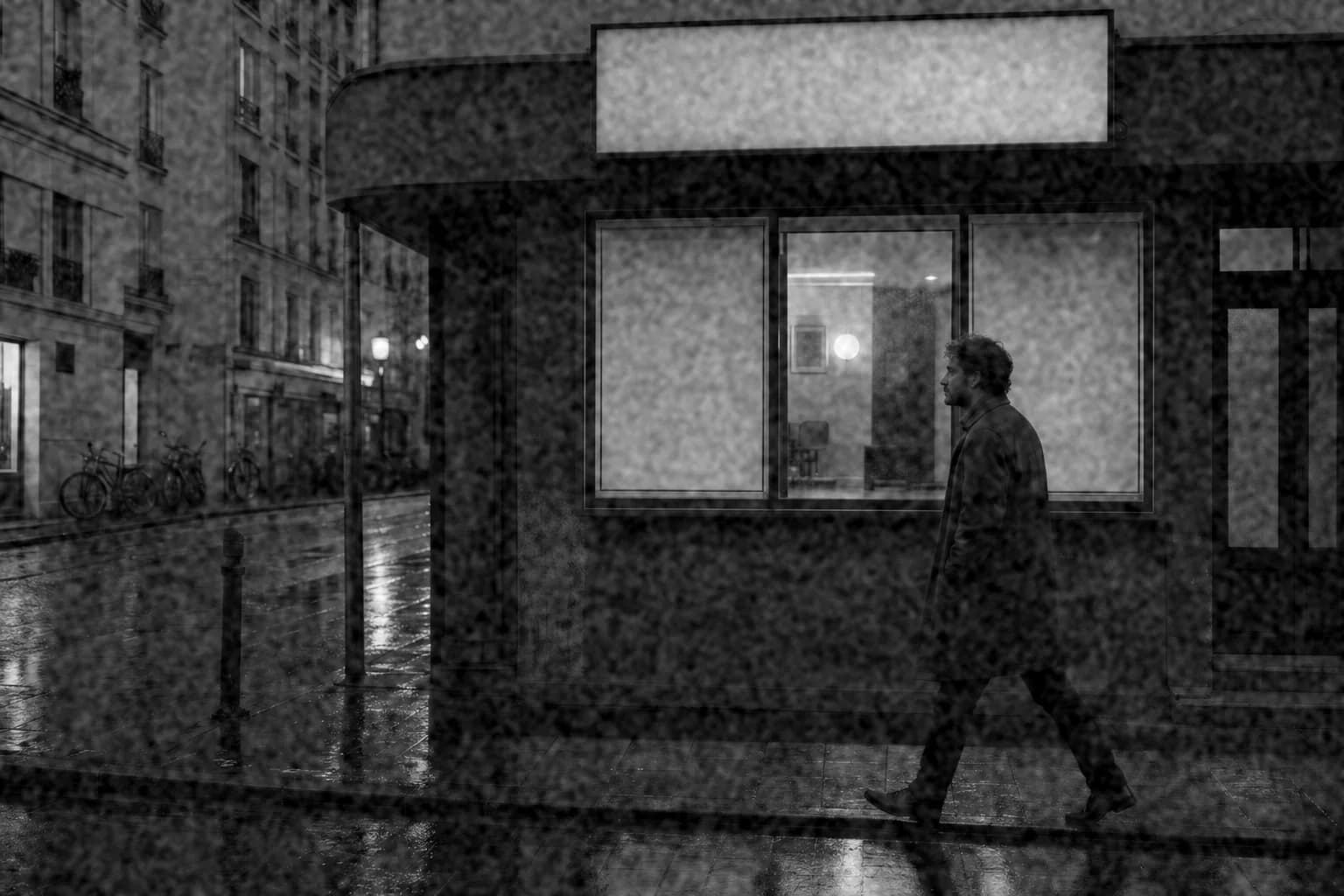
Processed with imagegrain
About Kodak Tri-X 400
Kodak Tri-X 400 is a black-and-white negative film with a long history in photojournalism, documentary, and street photography. Its look appears in decades of classic reportage.
It is often pushed to EI 800, 1600, or beyond in development. Pushing increases contrast and grain, which is a large part of the gritty look people associate with the stock.
Grain character
Tri-X grain is distinct and textured rather than smooth. At box speed in 35mm it is clearly visible in midtones and skies; pushed, it becomes coarse and high in contrast, with dense, punchy blacks.
Kodak Tri-X 400 grain recipe
| Intensity | 46% |
|---|---|
| Grain type | medium |
| Grain size | 4px |
| Roughness | 24% |
| Softness | 28% |
| Color grain | 0% |
| Shadows / midtones / highlights | 95% / 100% / 60% |
| Fade | 6% |
| Warmth | 0% |
| Vignette | 25% |
| Black and white | On |
| Seed | 400140 |
Why these settings
- Medium grain with higher roughness gives the gritty, defined texture Tri-X is known for.
- Strong shadow and midtone grain with reduced highlight grain follows how grain shows in a negative scan.
- Minimal fade keeps the blacks deep; the vignette adds weight to the frame like a darkroom print.
- For a pushed-to-1600 look, raise intensity to about 60% and grain size to 5px.
What this recipe cannot do
The recipe converts to black-and-white with a standard luminance mix. Tri-X's own spectral response, and the tonal effect of colored filters on the lens, are not reproduced; adjust the color-to-gray conversion in another editor first if that matters to you.
Best for
- Street and documentary photography
- Concerts and low-light reportage
- High-contrast black-and-white portraits
Kodak Tri-X 400 FAQ
Is Tri-X grainier than HP5?
Many photographers describe Tri-X as slightly grittier and more contrasty and HP5 Plus as a little softer, but developer, exposure, and scanning matter more than the stock. Both are clearly grainy at ISO 400 in 35mm.
How do I get the Tri-X look in Lightroom or digitally?
Convert to black-and-white, add contrast with deep blacks, then add medium, rough grain. This recipe handles the grain, tone, and vignette in one step in the browser.
Why does pushed Tri-X look grainier?
Pushing means underexposing and then developing longer. The extra development builds contrast and makes the grain structure more prominent, especially in midtones.
Kodak and Kodak Tri-X 400 are trademarks of their respective owners. imagegrain is not affiliated with or endorsed by them; recipes are digital approximations of grain and tone, not film-stock emulations.