
How to Make Digital Photos Look Like Film
A practical guide to making your digital photos look like they were shot on analog film. Covers grain, color, contrast, and more.
Published 2026-04-01 · Updated July 17, 2026 · Written and tested by Maximilian Braun
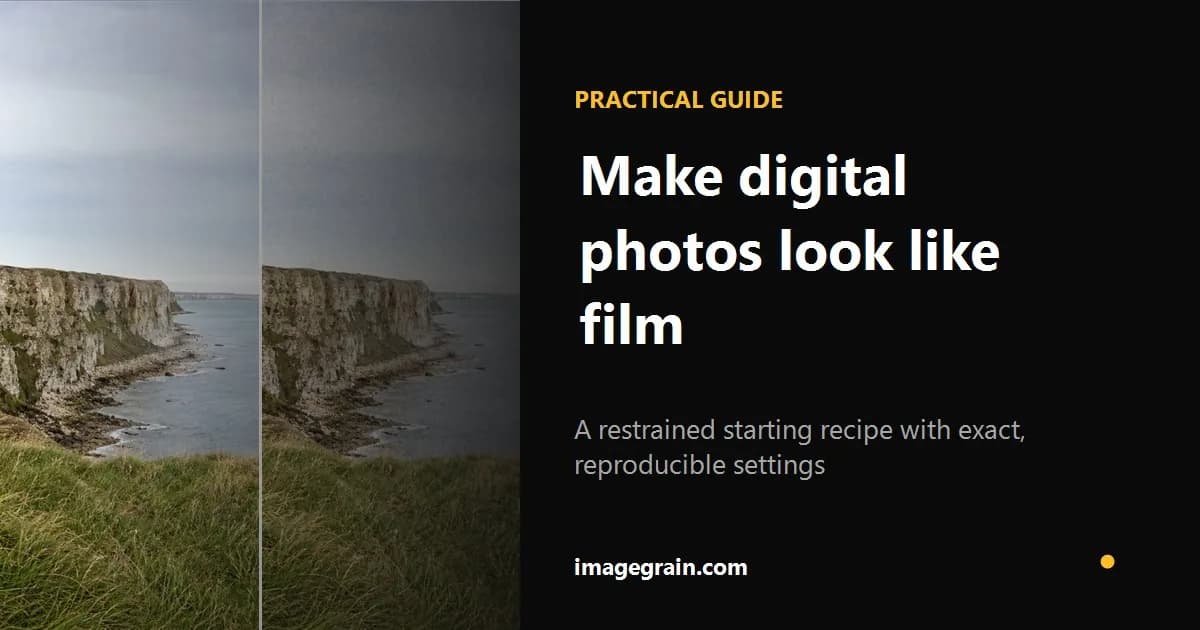
Digital cameras often produce very clean images, while some photographers prefer the texture and tonal character associated with analog workflows. You can move toward that aesthetic with a restrained combination of grain, tone, color, and contrast.
Start with grain
Grain is one of the most recognizable elements of many film images, but it works together with tone, color, optics, exposure, development, and scanning. Physical film grain comes from the emulsion and development process. A digital tool can only approximate that appearance; imagegrain uses a correlated texture rather than fully independent per-pixel variation and describes the result as a creative approximation, not a film-stock measurement.
For a complete grain, fade, warmth, and vignette workflow, apply a tested vintage photo filter in the browser.
Desaturate slightly
A slight reduction in saturation can support a restrained grade, but film color varies widely by stock, exposure, development, scan, and print. Start around a 5-15% reduction only when the source image feels overly vivid, then judge skin tones and neutral objects instead of copying a named-stock recipe.
Lift the blacks
Lifted blacks are a popular scanned-print aesthetic, not a property of every film image. If that matte direction suits the photograph, raise the black point gently so the deepest shadows remain separated rather than turning the entire image gray.
Soften the highlights
Highlight response depends on the film, exposure, development, scan, camera sensor, and digital processing. For a softer creative grade, reduce harsh highlights gently and judge important detail rather than assuming one universal film response.
Add a subtle color cast
Color response varies by emulsion, lighting, development, scanning, and printing. A subtle warm or cool shift can support the photograph, but a single global tint should be described as a creative grade rather than an accurate emulation of a named stock.
Keep it subtle
For a restrained result, dial back grain or color as soon as either becomes the first thing you notice. The aim here is a cohesive analog-inspired grade, not proof that the image was captured on film.
A restrained starting recipe
| Control | Starting point | What to watch |
|---|---|---|
| Fine grain | 20–30% | Check skin and smooth skies at 100% zoom |
| Fade | 10–20% | Keep enough black for visual depth |
| Warmth | 5–15% | Judge neutral whites and skin tones |
| Vignette | 5–15% | The edge darkening should not announce itself |
These are tested starting points for the imagegrain sample, not measurements of a named film stock.
Sources and further reading
Method and disclosure
This guide is written and reviewed by imagegrain's developer. Settings are practical starting points, not exact film-stock measurements. Controlled file-size figures use the documented built-in sample and export settings.
Read the full methodologyReady to add grain to your photos?
Free, private, no sign-up required. Runs entirely in your browser.
Open Grain Filter